for Maria, and anyone who sells on paper
Your price list is already a shop.
Photograph the chalkboard, the handwritten bill or the lessons notice. Paperstall reads it, sets up the right way to get paid with PayPal, and checks every payment with PayPal before you hand anything over.
No account, no app to install. Runs on the PayPal sandbox, so no real money moves.
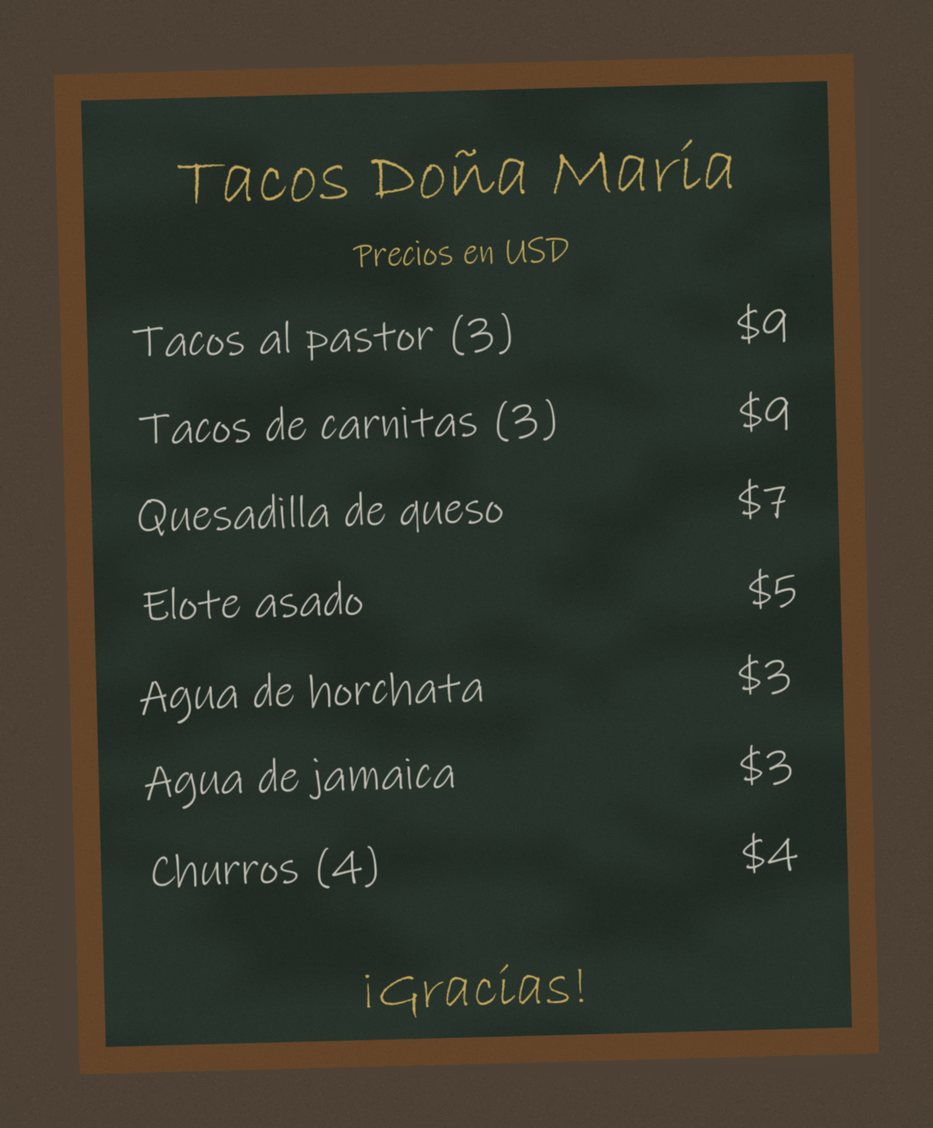
point at your price list
A screenshot is not a payment.
At a busy stall the customer flashes a phone and walks off with the food. A payment screenshot takes a minute to fake, and the seller finds out at the end of the day.
Every Paperstall receipt has a QR code. Scanning it asks PayPal itself whether the money arrived. One of these two screenshots is forged. Can you spot it before you check?
You sent
$21.00
to Tacos Doña María
Completed
- Today
- 12:41
- Transaction
- 6VU297505J010243X
You sent
$21.00
to Tacos Doña María
Completed
- Today
- 12:41
- Transaction
- 6VU29750SJ0I0243X
Different paper, different way to get paid.
A menu needs a shop. A bill for one customer needs an invoice. “$120 a month” needs a subscription. The Read works out which one from the paper itself, and you check it before anything goes live.
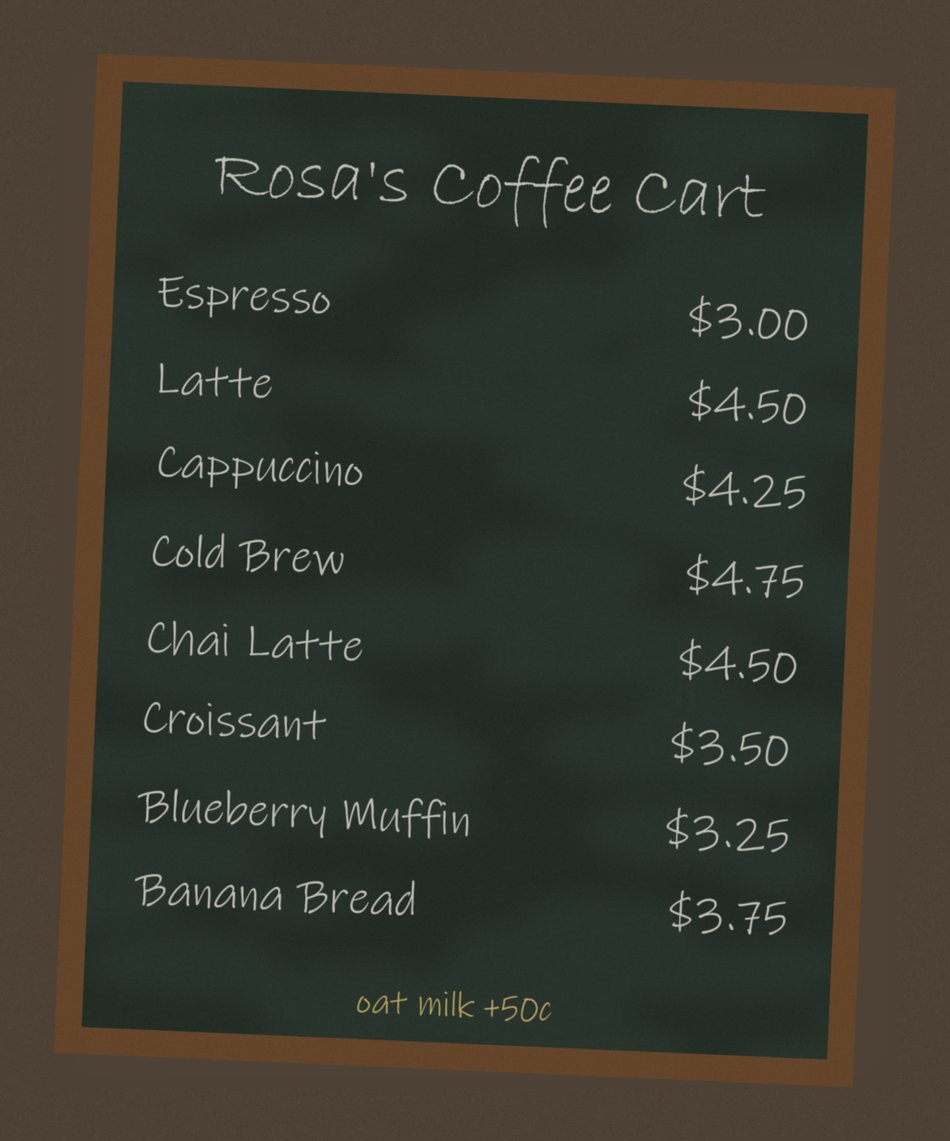
A storefront with PayPal Checkout
Customers scan your poster, pick items and pay. Add-ons like oat milk stay as notes, not products.
Found 8 items with prices on a menu board for a coffee cart.
- Espresso$3
- Latte$4.50
- Cappuccino$4.25
- Cold Brew$4.75
- Chai Latte$4.50
- Croissant$3.50
and 3 more
From “paid” to counted
1Prices are sealed
Publishing signs your price list. Edit a price in the link and checkout refuses it.
2The customer pays
PayPal Checkout takes the money. Paperstall never sees a card number.
3They get a receipt
The receipt page carries a QR code with the PayPal order ID.
4You scan it
Paperstall asks PayPal directly: was this order paid, how much, and to you?
5It counts
Only a confirmed payment lands in your ledger, once. A replayed receipt is caught.
Judging? Here’s the four-minute path.
- Pick a sample or photograph any price list.
- Watch the Read circle each item, then publish the stall.
- Open it as a buyer, add items and pay with the sandbox buyer.
- Scan the receipt on Check a payment and see the sale land in the ledger.
- Sandbox buyer
- sb-43vwuk53638208@personal.example.com
- Password
- eu|_F3Tr
Grab the chalkboard. You’ll be selling in about a minute.
Start with a photo